Skip to content
SLAYLANGUAGE SCHOOL
Account

Slay School’s own platform

Slay City: English you play

Between lessons, students practise in Slay City: they complete short English missions, unlock new districts of the city and earn rewards together with Slay the snake. Parents see the progress, and the teacher sees who has revised what.

  • Short missions for every day
  • 30+ game-style task types
  • Parent dashboard and homework from the teacher
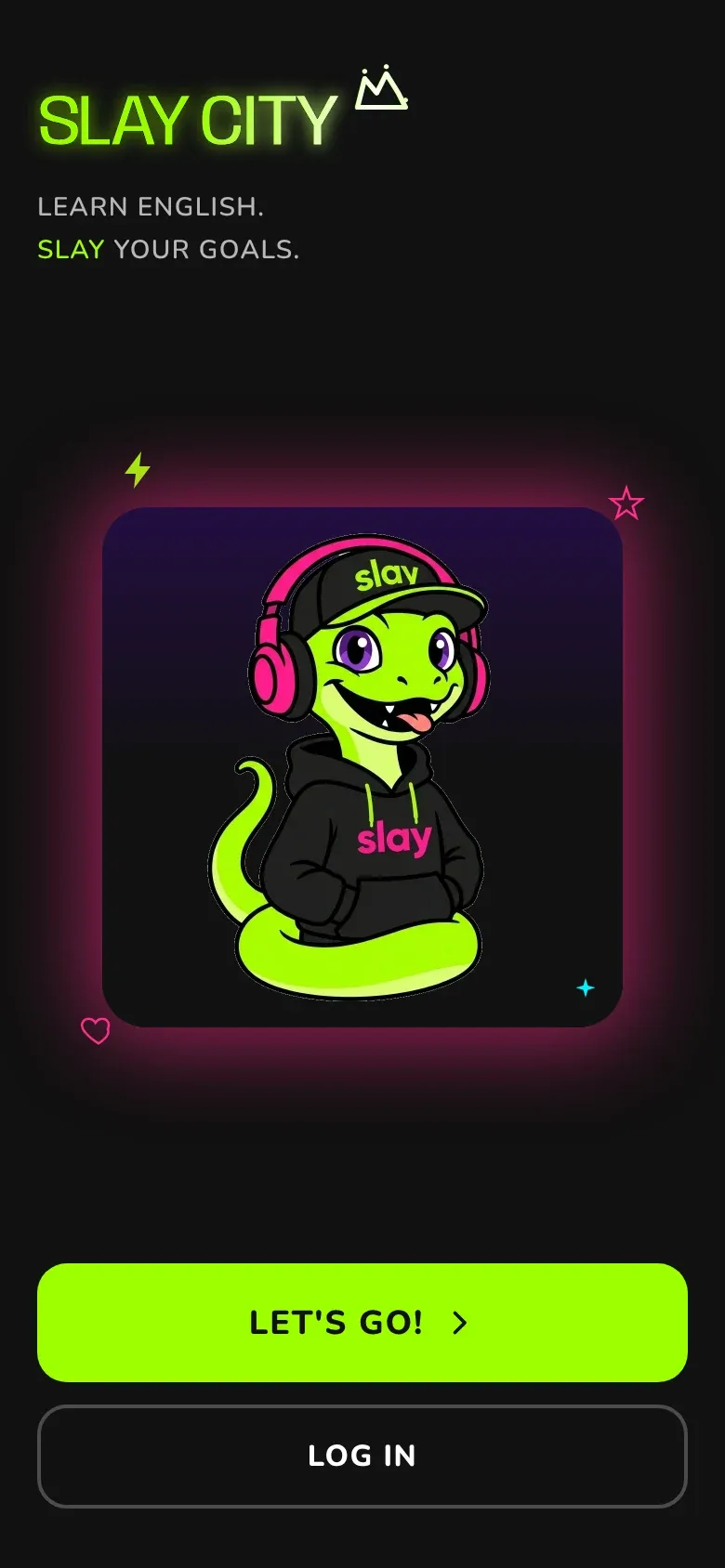
Slay City start screen: Slay the snake in headphones and the “Let’s go!” button

How it works

One simple loop that’s fun to repeat every day.

  1. Map

    The student picks a location on the city map.

  2. Mission

    A few short tasks on one topic.

  3. Reward

    XP, coins and a daily streak.

  4. New location

    A finished mission opens the next place.

  5. Back tomorrow

    The streak grows — nobody wants to break it.

What’s inside Slay City

Real screens from the app and examples of how students, parents and teachers use them.

City map

A city that opens up with every mission

Each district is a topic (family, food, travel, plans) and each location in it is a set of missions. Slay the snake shows where the student is now, and finished places unlock new ones.

  • Districts by level, from Beginner up
  • See how many missions are done
  • Every district has its own illustrated map

Example

Sofia opens the Food district and taps Fruit & Veg Market: 5 short missions about fruit, vegetables and shopping. Once she finishes them, the next location lights up on the map.
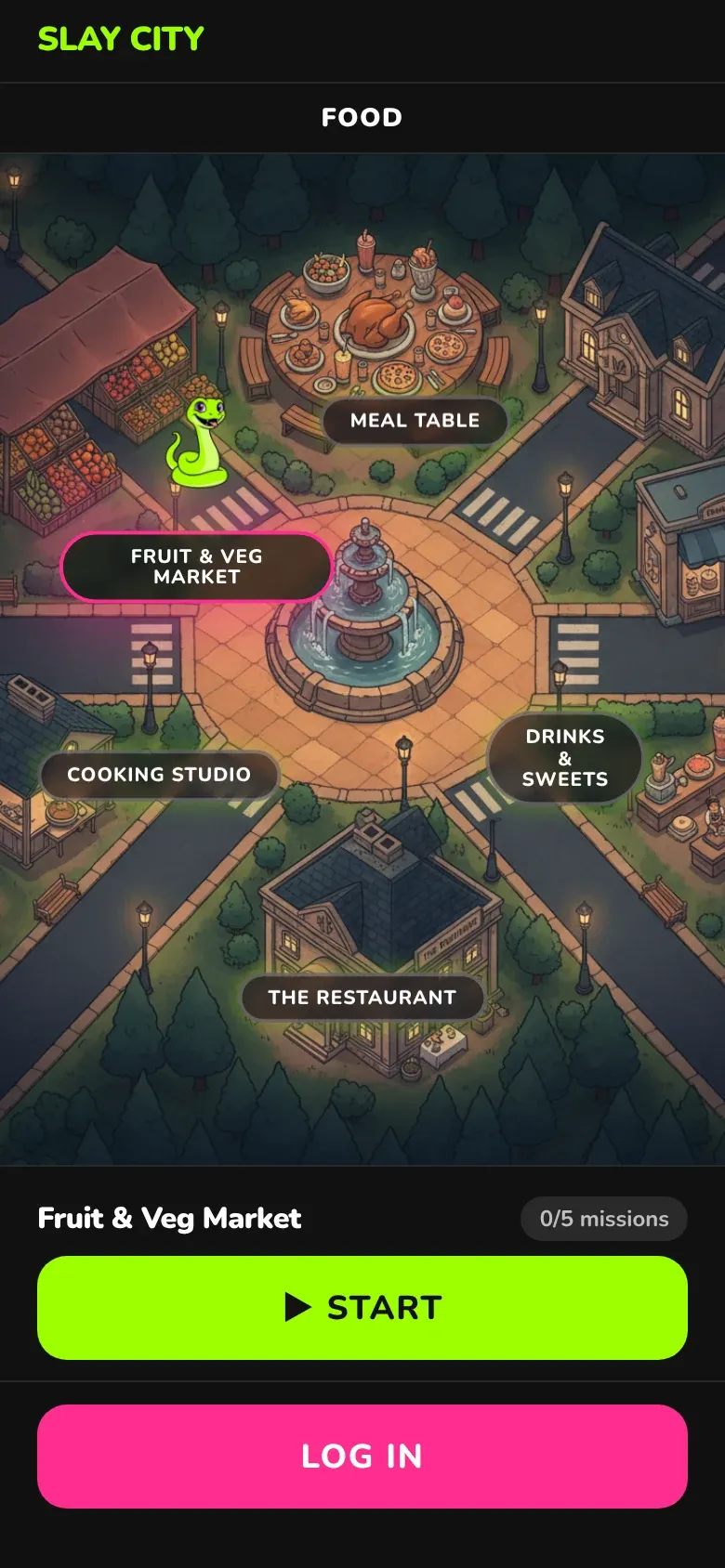
The Food district map in Slay City: Fruit & Veg Market, Meal Table, Drinks & Sweets and the Start button

Missions: 30+ task types

Every mission is a few short game-style tasks. Here are some of them, from real missions.

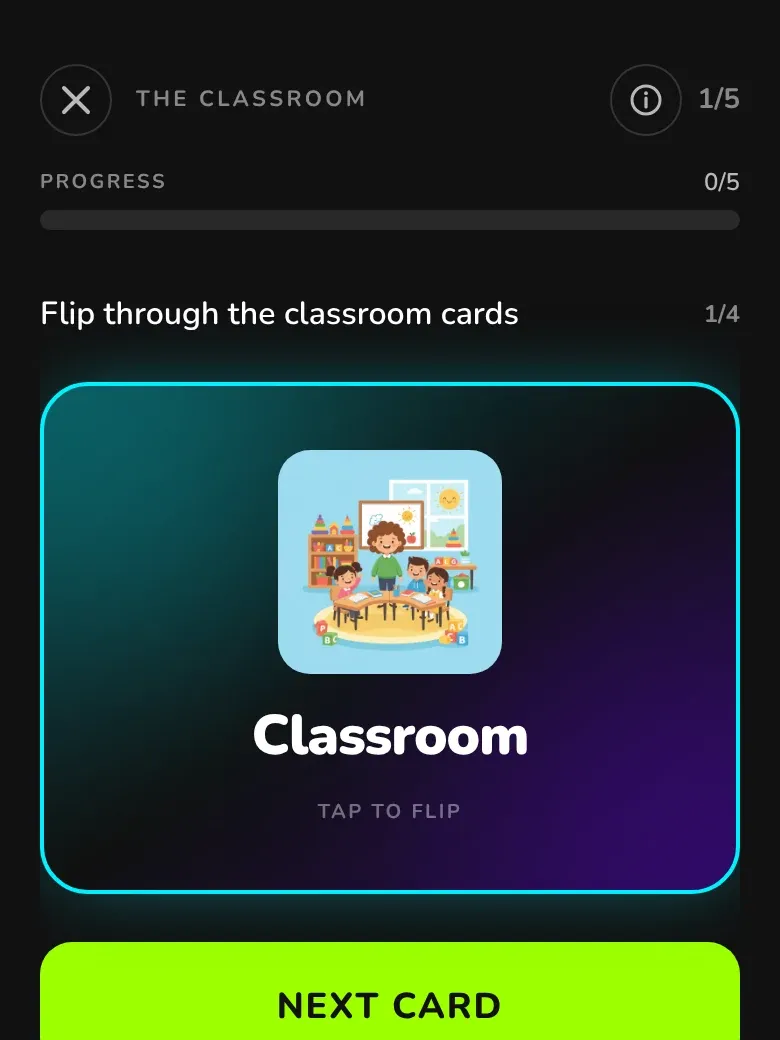
  • Flashcards task: the word Classroom with an illustration

    Flashcards

    A new word with a picture — tap to flip.

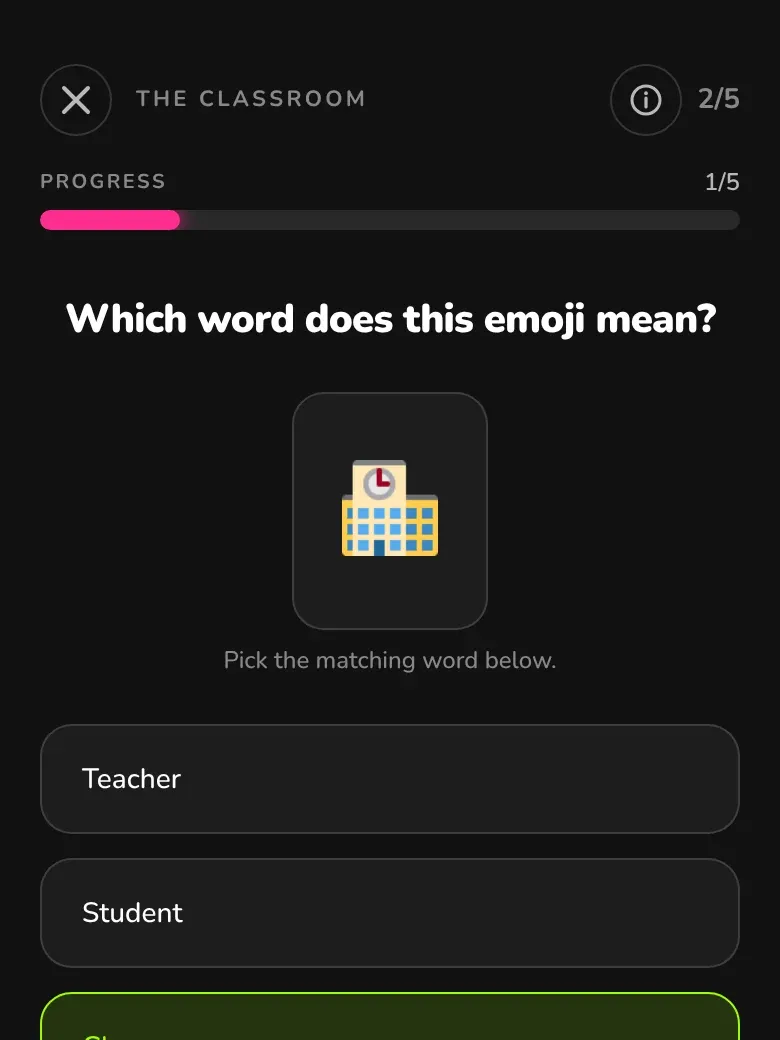
  • Emoji decode task: the correct answer Classroom is selected

    Emoji decode

    Which word is hiding behind the emoji?

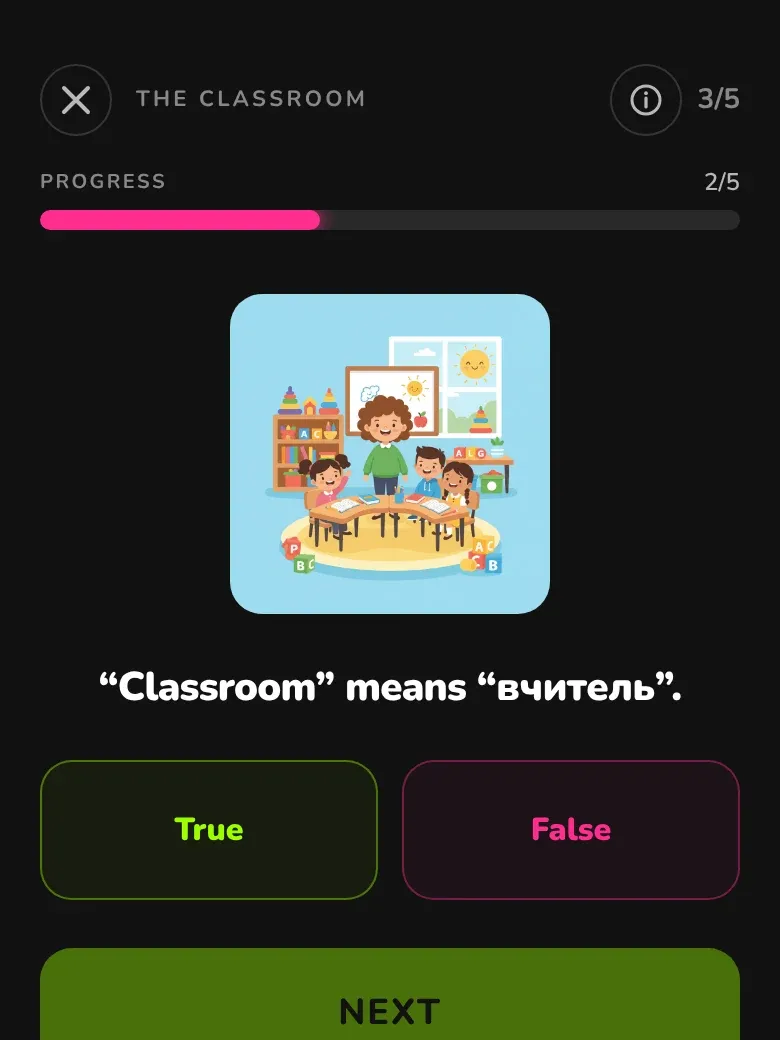
  • True / False task: does “Classroom” mean “teacher”?

    True or false

    Is the translation right? Decide fast.

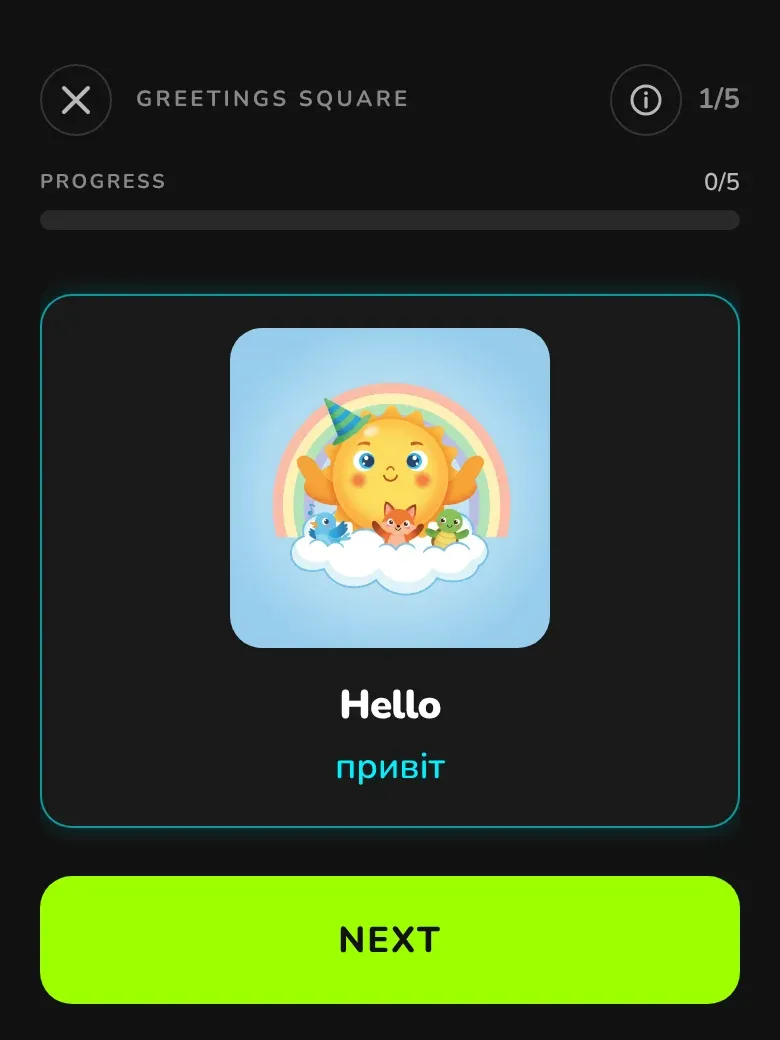
  • Word card: Hello with its Ukrainian translation

    Word card

    The word, its translation and a picture, before the practice.

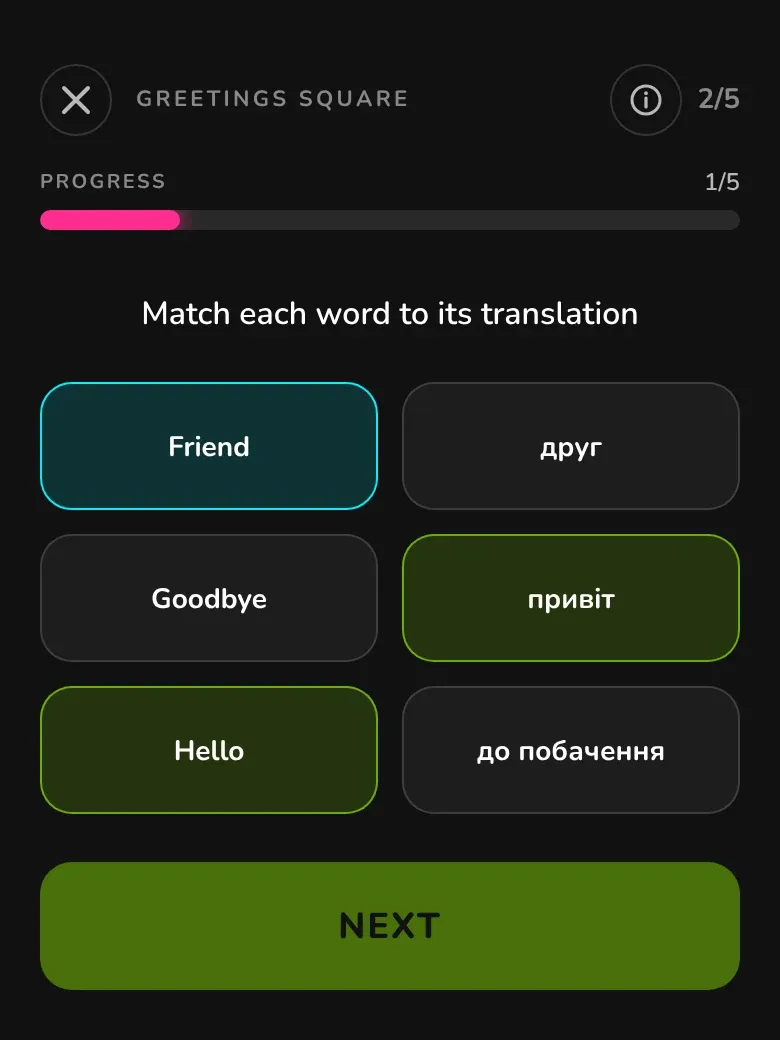
  • Matching task: Hello, Goodbye, Friend and their translations

    Matching

    Match each English word to its translation.

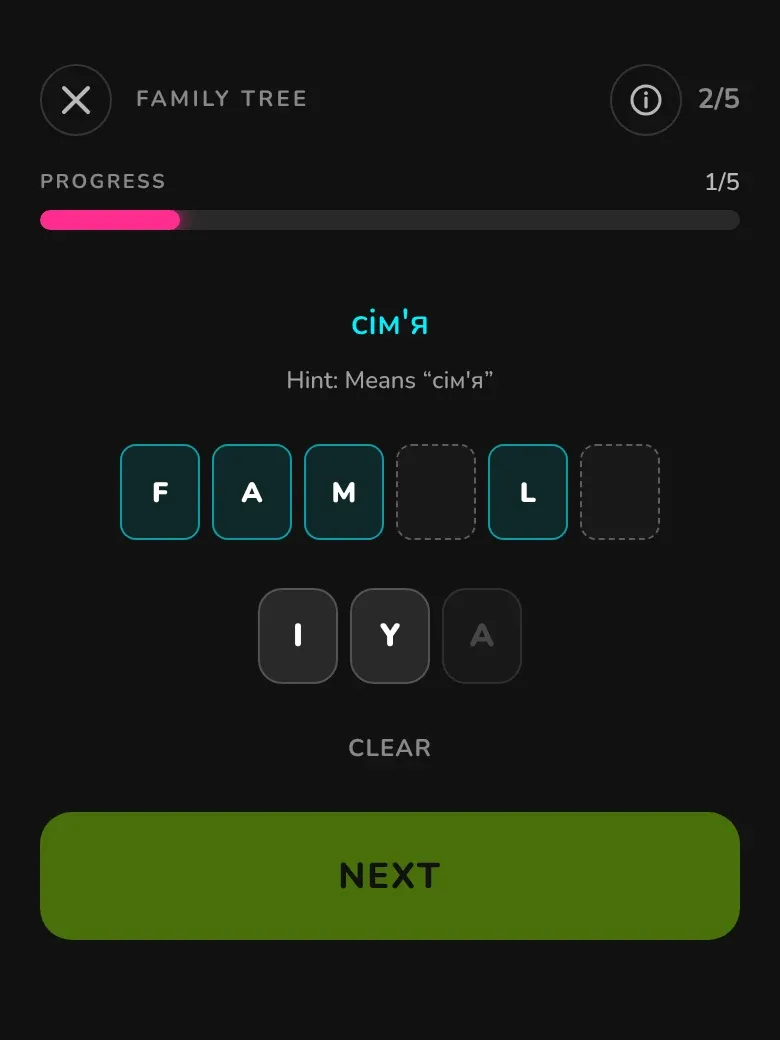
  • Letter fill task: FAMILY

    Letter fill

    Build the word from letters using the hint.

Plus crosswords, hangman, word search, snake, spot the difference, sentence builder, telling the time, analogies and more.

Rewards

XP, coins and a daily streak

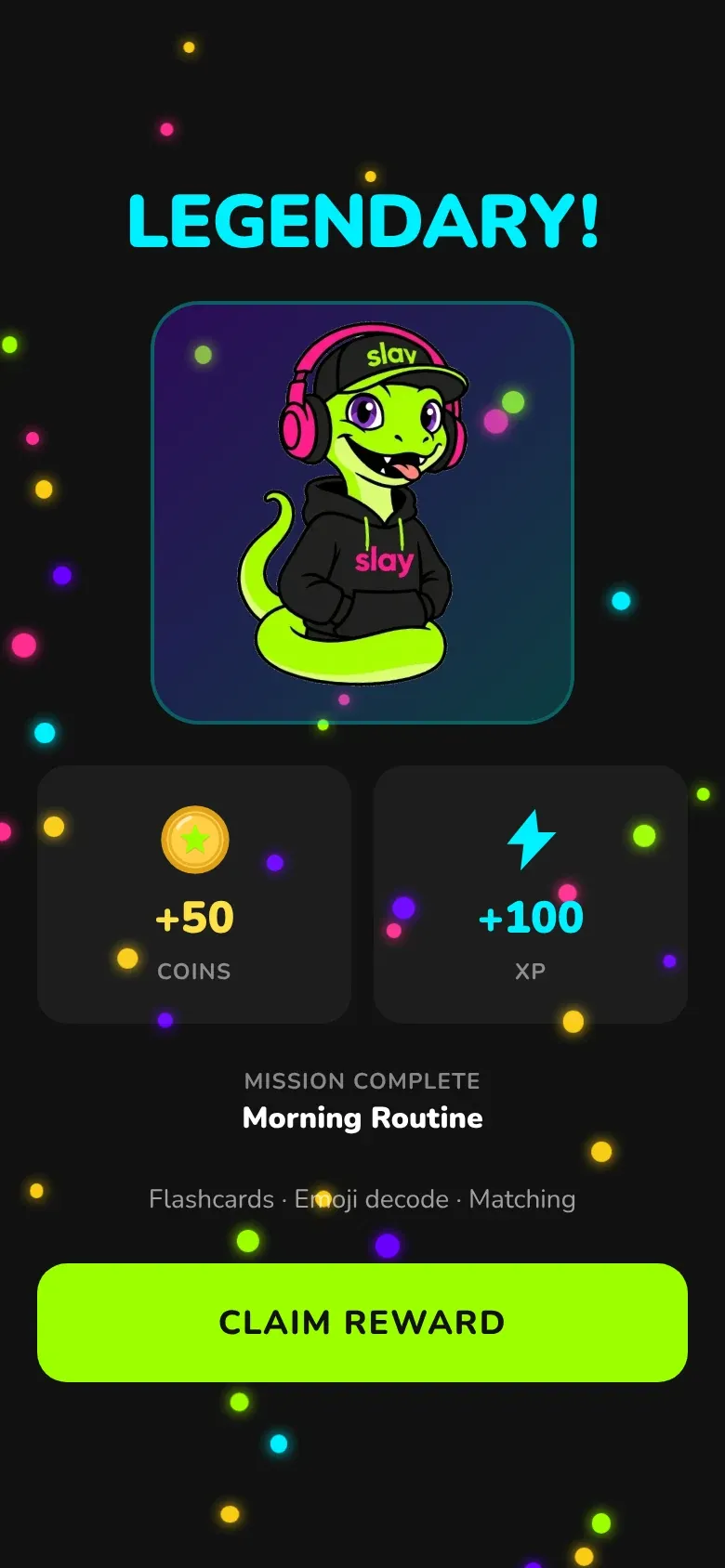
Every mission ends on a reward screen with confetti: XP for the student’s level and coins for the wardrobe. The daily streak is a nudge to come back tomorrow. All rewards are calculated on the server, so they can’t be faked.

  • XP raises the student’s level
  • Coins buy items for Slay
  • The streak builds a daily habit

Example

Sofia finishes the Morning Routine mission: +50 coins and +100 XP, and her streak reaches 12 days — far too good to break now.

Slay City reward screen: “Legendary!”, +50 coins, +100 XP, Morning Routine mission

Wardrobe

Coins turn into a new look for Slay

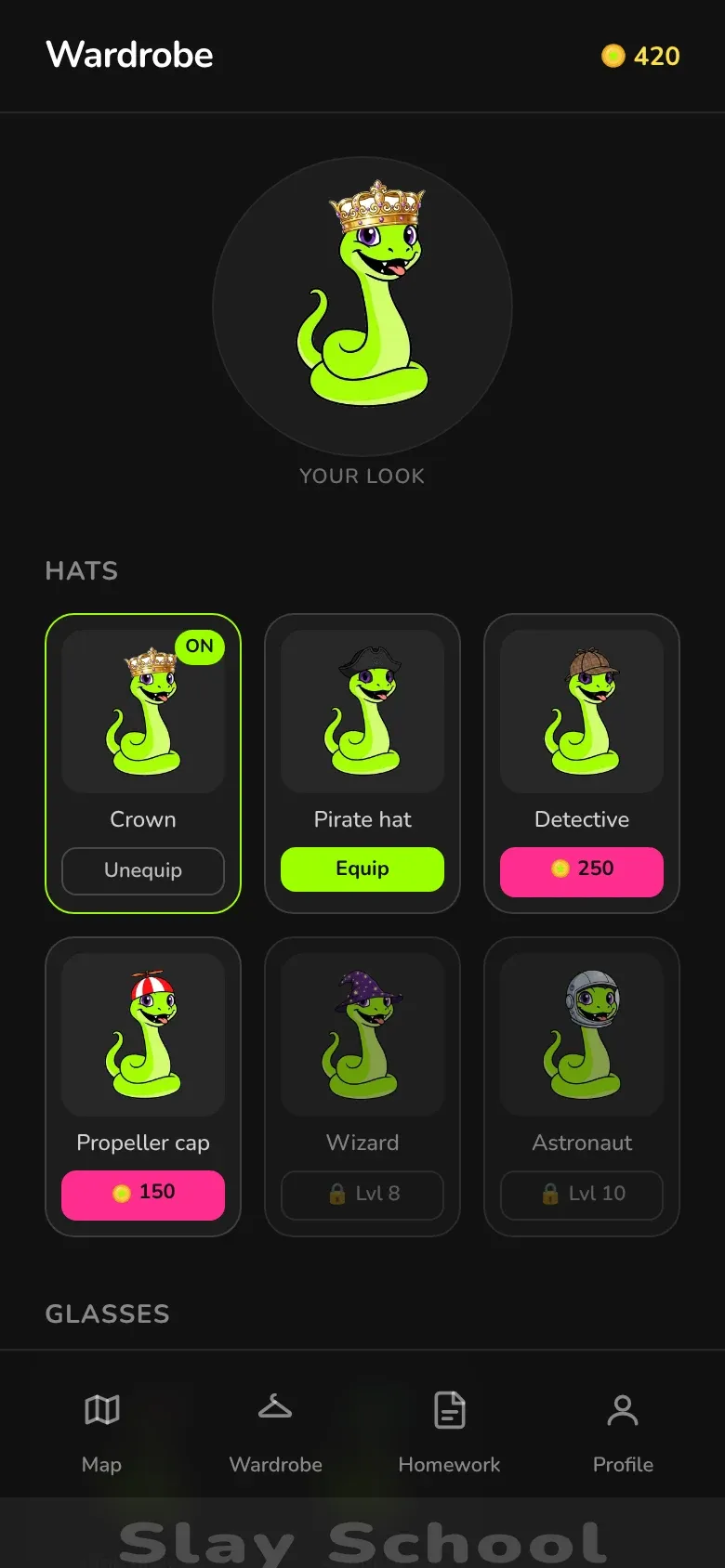
Hats, glasses, accessories: students buy items with the coins they earn and dress up their snake. Some items unlock only at a higher level — one more reason to keep learning.

  • Hats, glasses and accessories
  • Some items unlock at a set level
  • The look shows on the map, in the profile and on the parent dashboard

Example

Sofia saved up 300 coins and bought the crown. Now Slay wears it everywhere — on the map, in her profile and on her mum’s dashboard.

Slay City wardrobe: Slay the snake wearing a crown, hats, glasses and coin prices

Homework

Homework from the teacher, right in the app

After a lesson the teacher adds a topic: new words (with transcription, translation, a picture and audio) and grammar rules with tests. Every topic has its own Q&A thread for questions.

  • Words and grammar from the lesson
  • A test after each module
  • Ask the teacher inside the topic — no messengers needed

Example

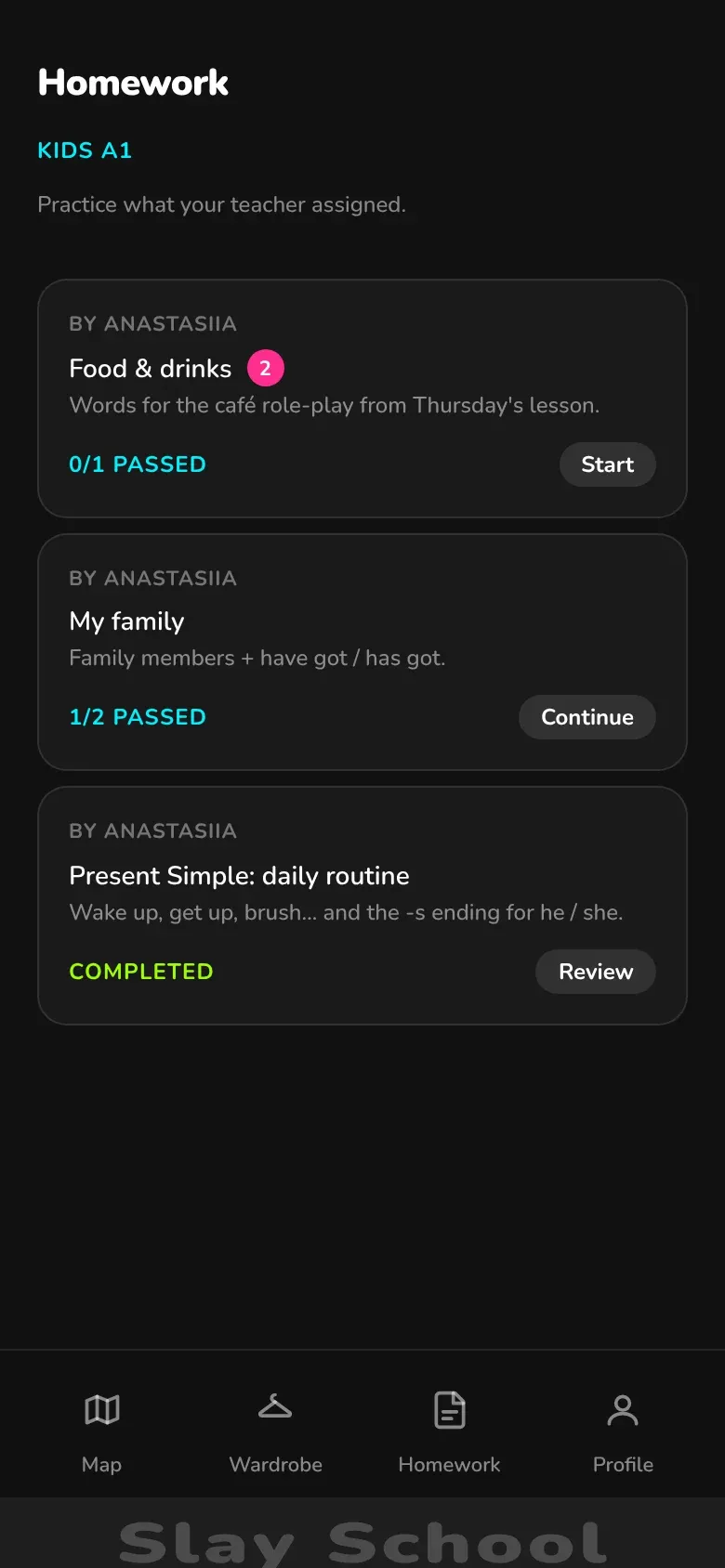
After a lesson about cafés, the teacher adds the Food & drinks topic with 14 words. Students in the Kids A1 group see it under Homework and post questions right in the topic (a red badge means a new reply).

Homework in Slay City: Food & drinks, My family and Present Simple topics with completion status

Parental controls

Parents see how their child is doing

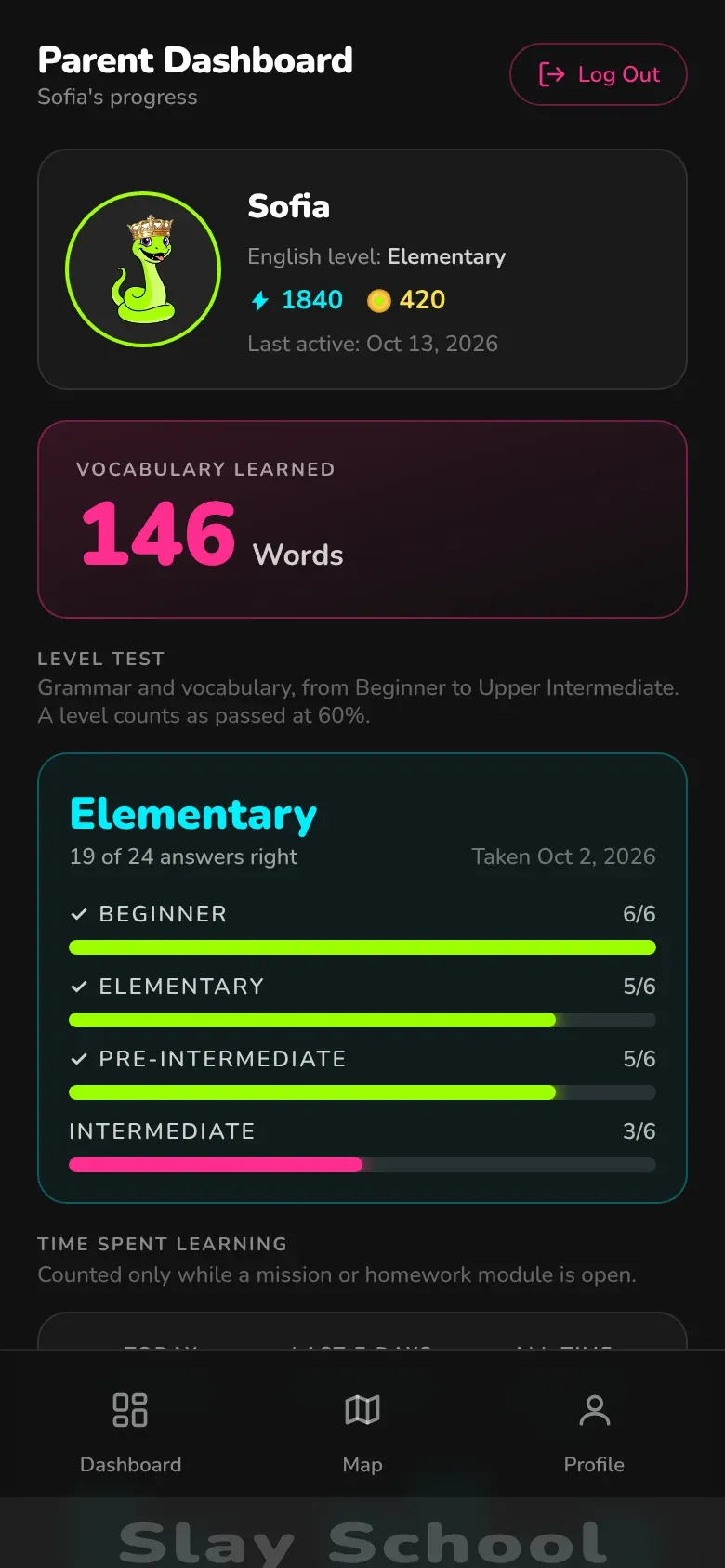
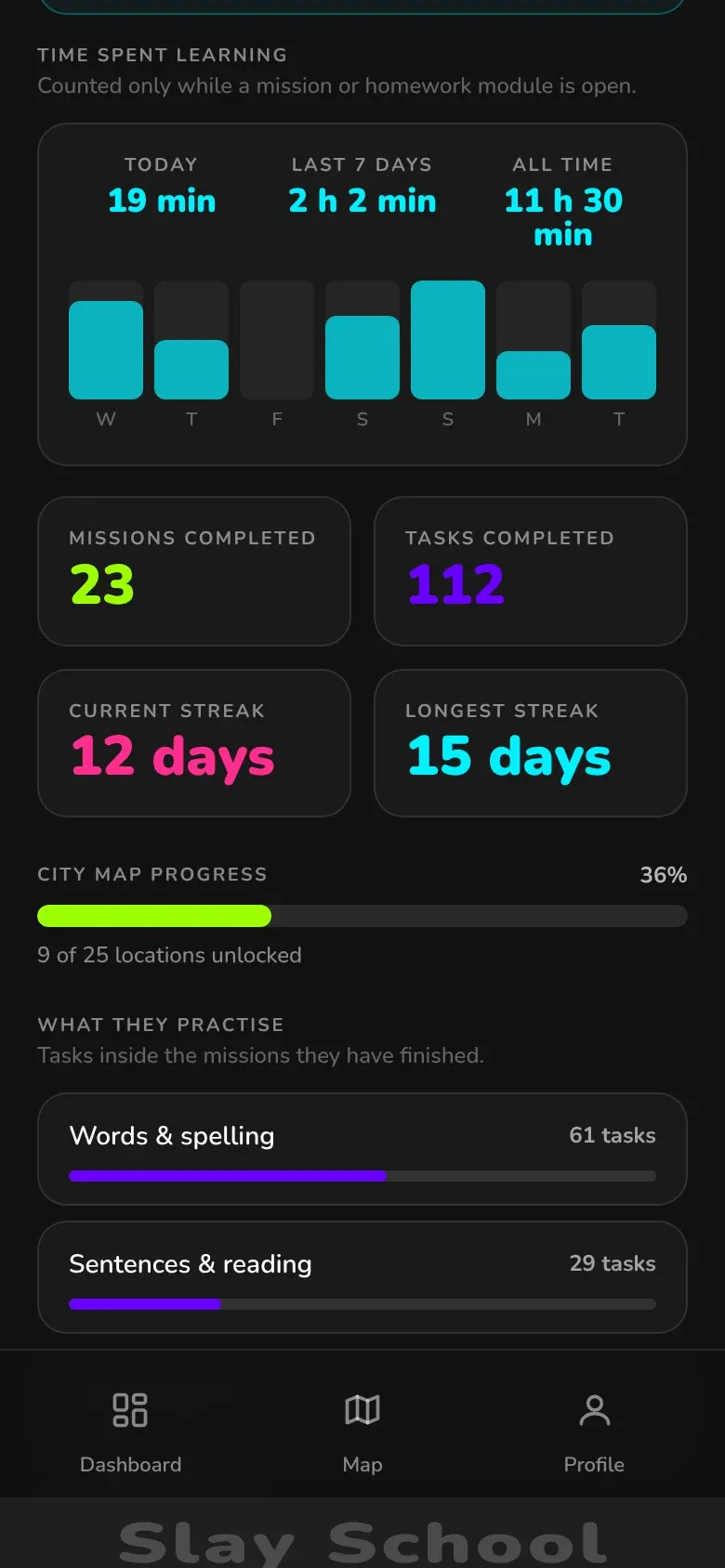
A separate dashboard for parents, in English, Ukrainian or Russian. It shows the level and words learned, study time today and this week, the streak, map progress, homework topics and the latest missions with scores.

  • Study time: today, 7 days, all time
  • Words learned and the level-test result
  • Homework topics: passed / in progress / not started

Example

Sofia’s mum signs up as a parent and enters her daughter’s email. In the evening she sees: 19 minutes of study today, 146 words, a 12-day streak, and My family in progress.

Slay City parent dashboard: Elementary level, 146 words learned, level-test result
Parent dashboard: weekly study-time chart, missions completed and streak

Teacher console

The teacher sees the whole group at a glance

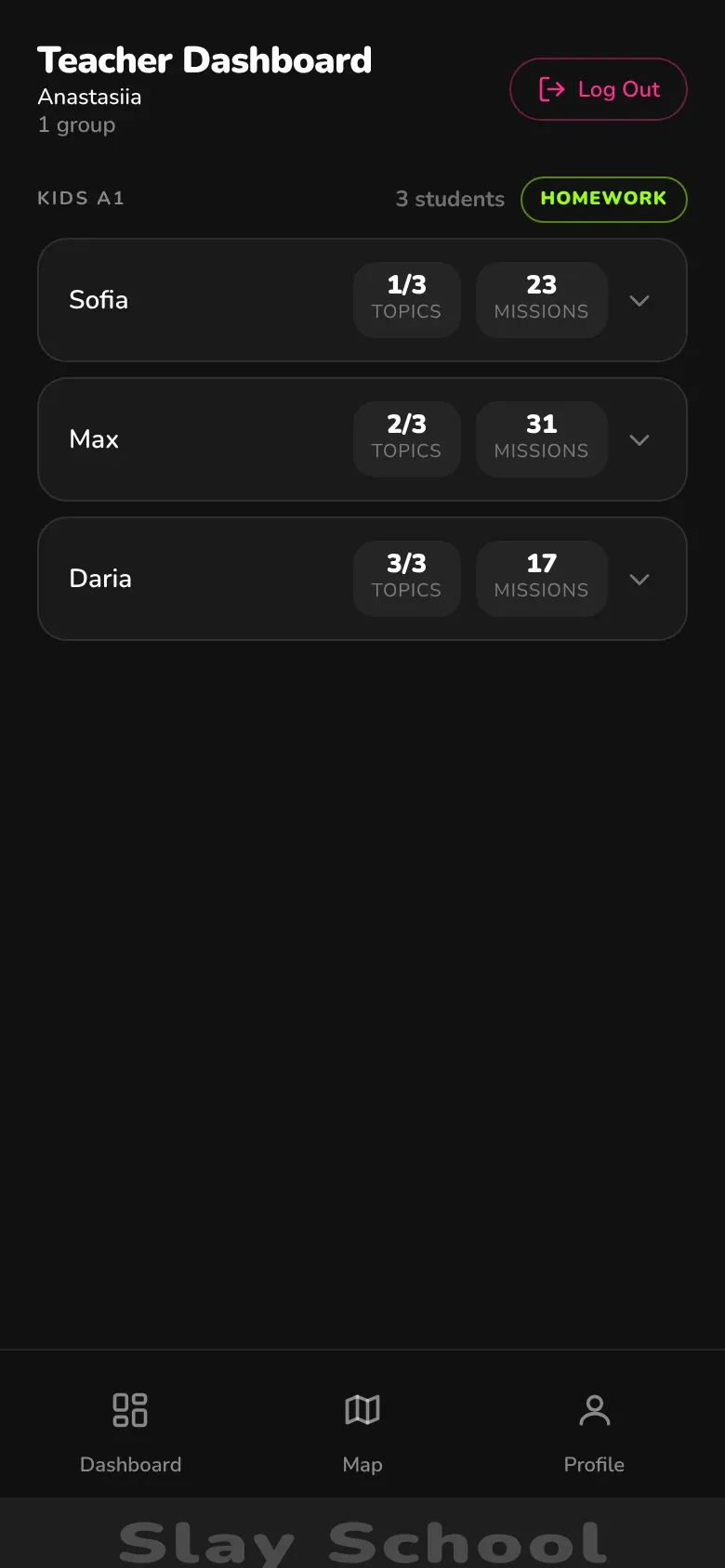
Student groups, homework topics and who has passed what. Words and rules for a topic can be drafted with AI and edited before they go live. The teacher can also preview the map and missions the way students see them.

  • Every student’s progress in the group
  • AI-drafted topics, edited by the teacher
  • Answers to students’ questions in each topic

Example

Before class the teacher opens Kids A1: Max has passed 2 of 3 topics, Daria all three. My family is worth a quick review in the lesson.

Slay City teacher console: Kids A1 group, students, topics passed and missions completed

Profile

Level, level test and interface language

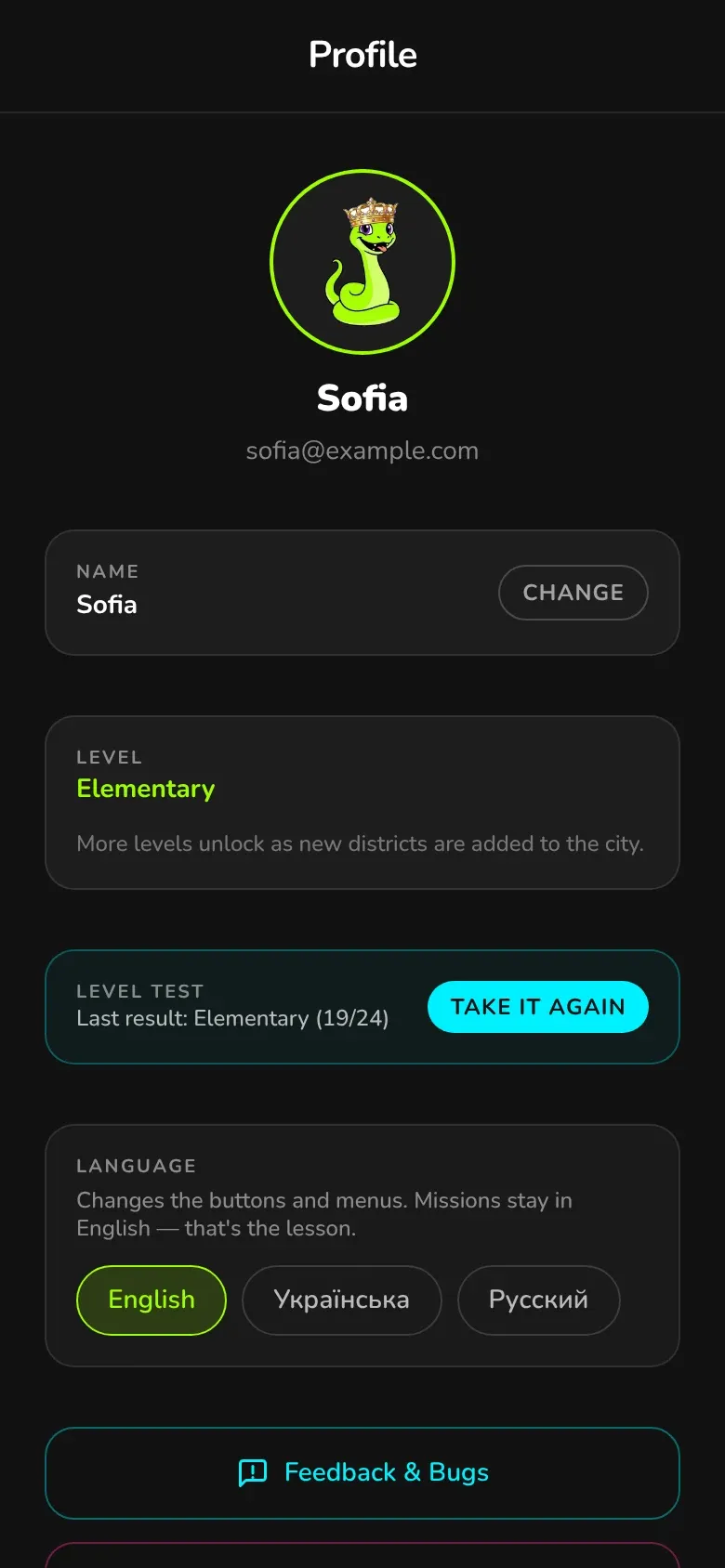
In the profile the student picks a level, takes an English level test (40 questions from Beginner to Upper Intermediate) and changes the language of the buttons. The missions themselves stay in English — that’s the lesson.

  • Level test with a recommendation
  • Interface in English, Ukrainian or Russian
  • Parents and the teacher see the test result

Example

A new student takes the test, the app suggests Elementary and opens that level’s map. Mum sees the same result on her dashboard.

Student profile in Slay City: Elementary level, test result and interface language picker

Who it’s for

  • Students

    English as a game: short missions, rewards, your own snake and a city that grows with you.

  • Parents

    Visibility without hovering: how long your child studied, what they learned and how homework is going.

  • Teachers

    Homework that actually gets done, and a clear picture of the group before every lesson.

Try Slay City without signing up

The demo opens straight away: pick a location on the map and play its missions. It runs in the browser on a phone, tablet or computer, and installs on your home screen like an app.

Open the demo(opens in a new tab)

FAQ

Didn’t find your answer? Send us a request — we’ll tell you everything.

Can I try it without signing up?

Yes. In the demo you can finish one whole location with no account. To keep playing and save XP, coins and progress, just sign up with email or Google.

What age is Slay City for?

Mainly children and teenagers: it’s bright, short and has no boring tables. Adults play too, though — tasks follow the English level, not age.

What language is the interface in?

Buttons and menus are in English, Ukrainian or Russian (switch it in the profile). Missions are always in English — that’s the practice. Word translations are in Ukrainian.

Do I need to install anything?

No. Slay City runs in the browser on a phone, tablet or computer. If you like, add it to your phone’s home screen and open it like a regular app, with no App Store or Google Play.

How do parents see their child’s progress?

When signing up, choose the parent role and enter the email your child registered with. The parent dashboard picks up their progress automatically: study time, words learned, homework topics, streak and level-test result.

Where does the homework come from?

Slay School students study in groups: after a lesson the teacher adds a topic with new words and grammar, and it appears under Homework. Questions about the topic can be asked right in the app.

Are there other languages in Slay City?

For now, Slay City missions are in English. Other languages at Slay School are taught in lessons with a teacher.

Book your free trial lesson

Fill in a short form — we’ll get in touch and find a time that suits you.

  • First lesson is free
  • English, French or German
  • Online or in Odesa

Prefer to message us? We’re on Instagram Direct:

Message us on Instagram(opens in a new tab)
Who will be studying?

Optional

Language
Where
How
Preferred time
Language level

Outside Ukraine? Include your country code, e.g. +48…

We’ll only use your details to contact you about your lessons.

Contacts

Address

Odesa, 38 Marselska St, office 6

Kotovskoho neighbourhood, Peresyp district

Online lessons — from anywhere in the world.

Opening hours

Mon–Sat 9:00–20:00

Come to a trial lesson

Slay School · Odesa